Workflow Guide
Strikethroo breaks complex work into three steps – planning, task generation, and execution – each delivered as an Agent Skill that loads automatically when you describe what you need.
The Workflow
flowchart LR
    A[Work Order] --> B[Plan]
    B --> C{Review}
    C -->|Edit| B
    C -->|Approve| D[Tasks]
    D --> E{Verify}
    E --> G[Execute]
    G --> H{Review}
    H -->|Edit| G
    H -->|Approve| J[Done]

    style A fill:#ffebee
    style B fill:#e3f2fd
    style D fill:#f3e5f5
    style G fill:#e8f5e8
    style J fill:#c8e6c9
Human gates wrap each step: you review the plan, verify the blueprint, and review the executed result – looping back to edit whenever something is off. The plan and the result get a careful read; the blueprint just gets a quick validation pass before execution.
CAUTION
The review gates are where you catch scope creep and wrong turns. Do not skip them.
Step-by-Step
1. Create a Plan
Ask your assistant in plain language. The st-create-plan skill loads automatically.
/st-create-plan create user authentication with email/password and JWT tokens.
The skill asks clarifying questions, then writes a plan document with requirements, technical approach, risks, and success criteria. Two hooks bracket this step: PRE_PLAN runs before planning begins, and POST_PLAN runs once the document is written.
Output: .ai/strikethroo/plans/01--user-authentication/plan-01--user-authentication.md
2. Review the Plan
Open the plan file and verify:
- Requirements are accurate and complete
- No unnecessary features were added (scope creep)
- Technical approach fits your architecture
Edit the file directly – it is yours, not the AI’s. Optionally, ask a second assistant to refine the plan (st-refine-plan skill) for a two-agent feedback loop.
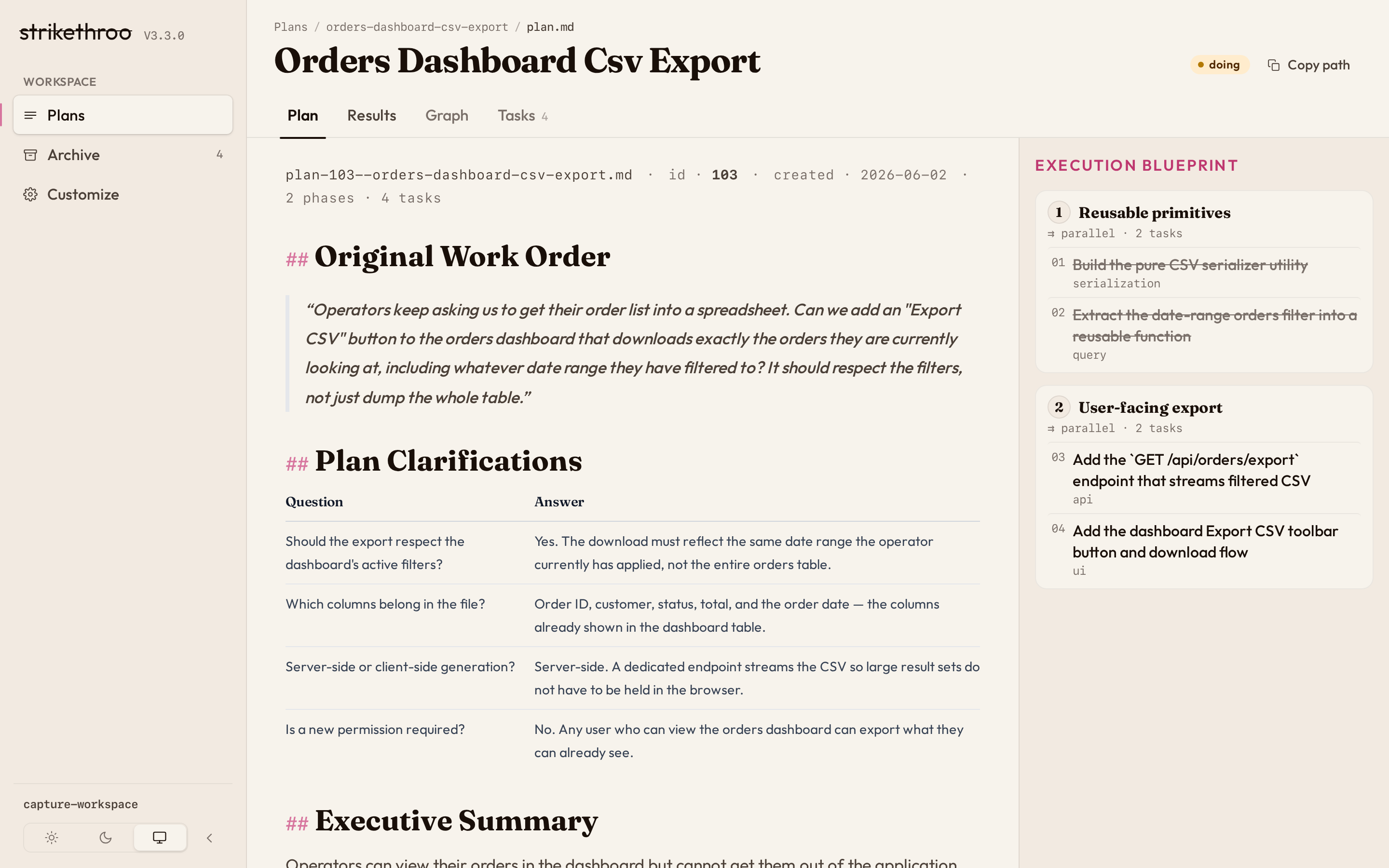
Prefer reading it rendered? npx strikethroo serve shows the plan document with its task blueprint pinned alongside:
3. Generate Tasks
/st-generate-tasks 1
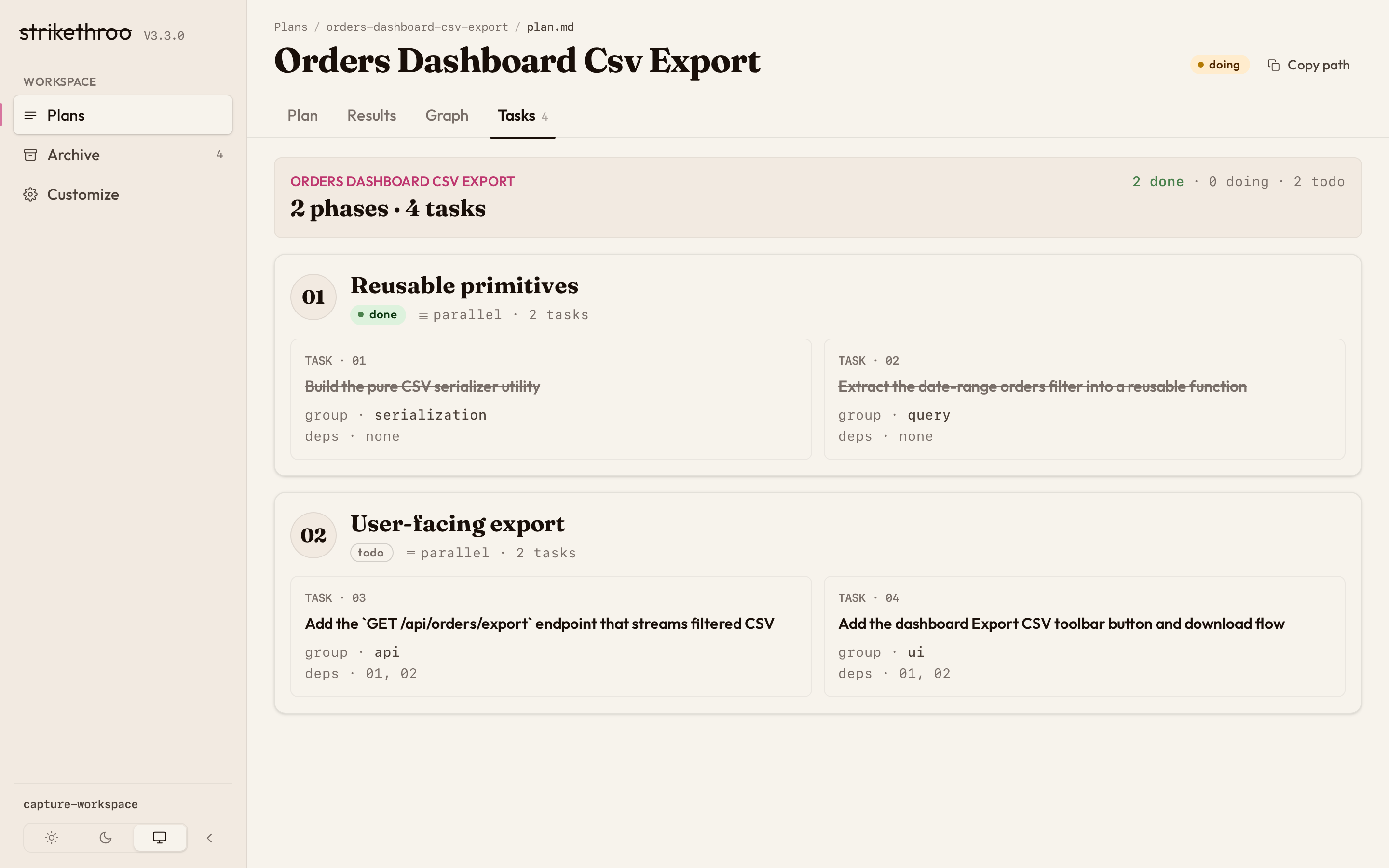
The st-generate-tasks skill breaks the plan into atomic tasks (1-2 skills each), maps dependencies, and produces an execution blueprint organized into phases of parallel work. The POST_TASK_GENERATION_ALL hook runs once all task files exist.
Output: .ai/strikethroo/plans/01--user-authentication/tasks/*.md
The blueprint’s phases – groups of tasks that run in parallel – render as swimlanes in the web app:
4. Validate the Tasks
The task documents don’t need a line-by-line review – just a quick validation pass before you let it run. Skim the tasks/ directory and confirm:
- Nothing obviously outside the original scope slipped in
- No task is overloaded (3+ skills signals it should be split)
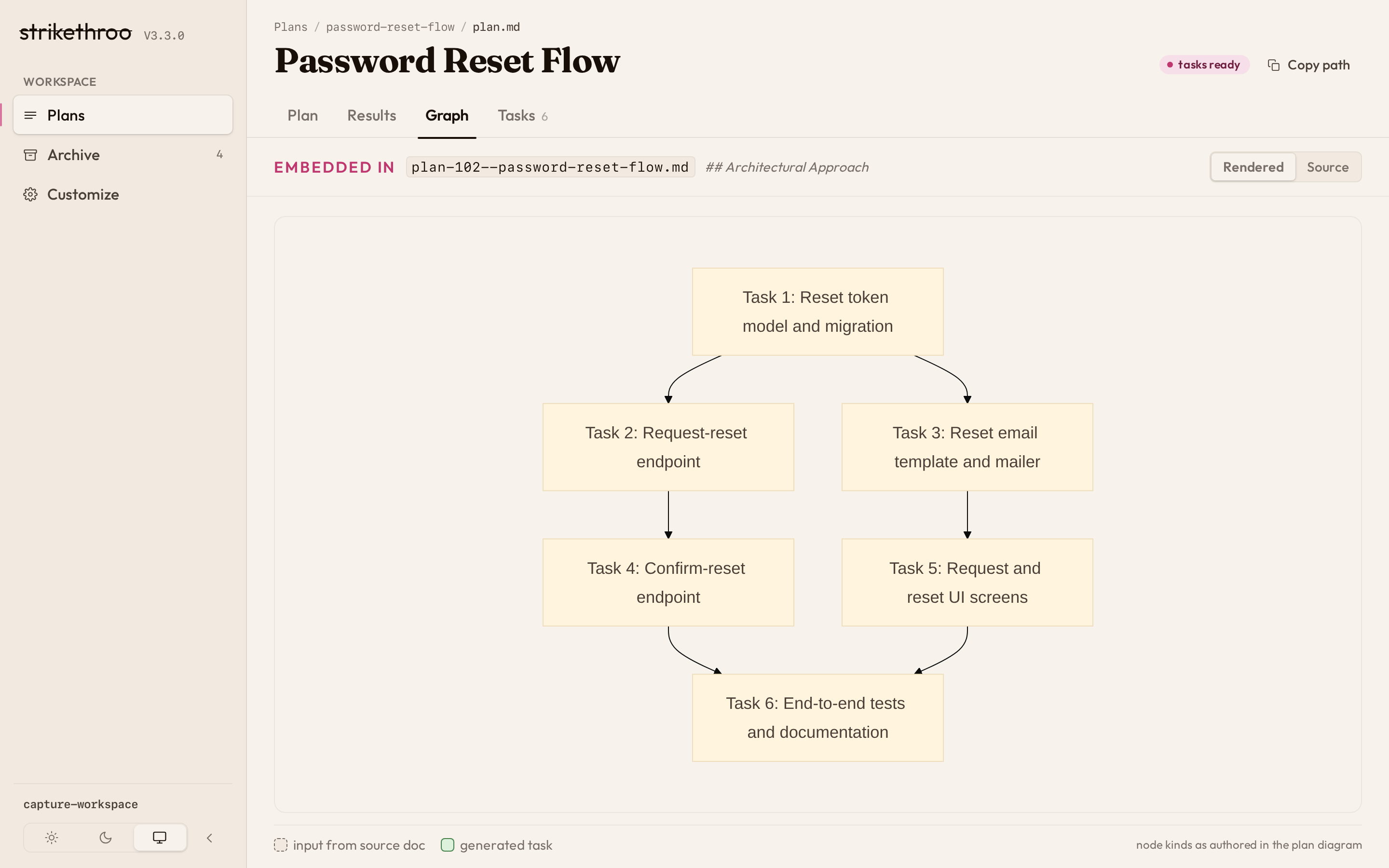
- The dependency order is sane
If something looks wrong, fix the task file directly; otherwise move straight to execution. Save the careful reading for the plan (step 2) and the result (step 6).
A wrong ordering is easiest to spot on the dependency graph – a live mermaid render of the same task files:
5. Execute the Blueprint
/st-execute-blueprint 1
The st-execute-blueprint skill runs tasks grouped into phases. Within each phase, independent tasks run in parallel. Hooks fire throughout: PRE_PHASE runs before each phase starts, then for every task PRE_TASK_ASSIGNMENT and PRE_TASK_EXECUTION run before it is dispatched. POST_ERROR_DETECTION runs if a task fails, and POST_PHASE runs after each phase completes.
NOTE
If you skipped step 3, st-execute-blueprint auto-generates the tasks and the blueprint before starting.
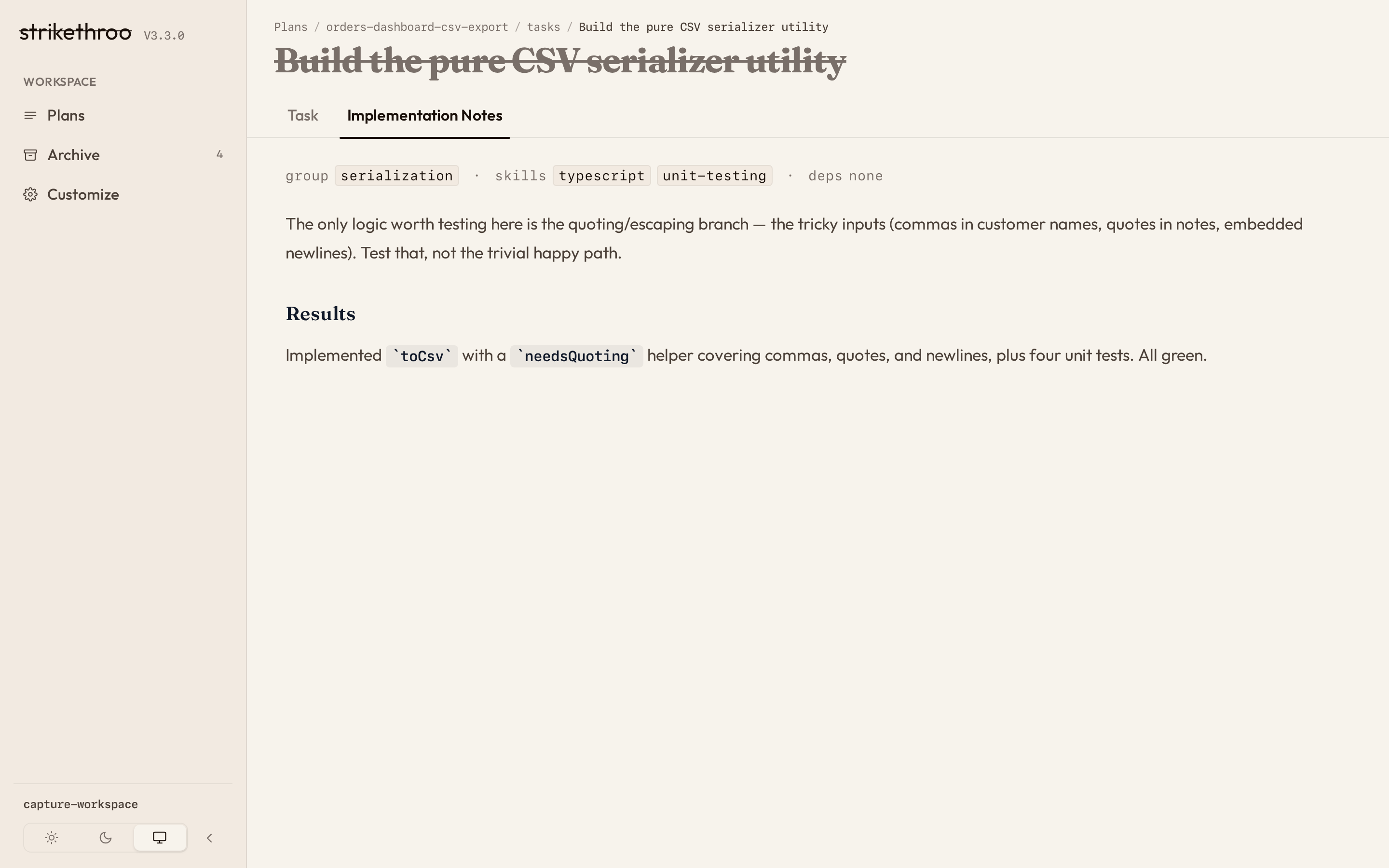
The st-execute-blueprint skill drives progress end to end: it updates task statuses as phases complete, and you can inspect plan and task files directly under .ai/strikethroo/plans/ at any point. Prefer a visual view? Run npx strikethroo serve to watch progress in Visualizations, the web app that renders plans, tasks, and the dependency graph live from those same files. From the board you can drill straight down into any task:
6. Review the Results
When the last phase finishes, the POST_EXECUTION hook runs before the summary is written and the plan is archived.
Execution finishing is not the finish line – the working code is. Read what the blueprint produced:
- Run the test suite and confirm the plan’s success criteria are actually met
- Read the diffs for correctness, not just for green checks
- Watch for tasks that completed on paper but missed the intent
If something is off, adjust the relevant task or plan files and re-run execution – the blueprint resumes the affected work. Once the result matches the plan, the plan is done: st-execute-blueprint archives it to .ai/strikethroo/archive/.
Each task’s implementation notes capture what actually happened during execution – a quick read on the work and any noteworthy events:
File Structure
.ai/strikethroo/
├── plans/
│   └── 01--user-authentication/
│       ├── plan-01--user-authentication.md
│       └── tasks/
│           ├── 01--database-schema.md
│           ├── 02--user-model.md
│           └── 03--auth-endpoints.md
├── archive/                          # Completed plans
├── config/
│   ├── STRIKETHROO.md                # Project context (tech stack, conventions)
│   ├── hooks/                        # Lifecycle hooks (PRE_PLAN, POST_PHASE, etc.)
│   └── templates/                    # PLAN_TEMPLATE.md, TASK_TEMPLATE.md
└── .init-metadata.json               # Tracks file hashes and schema version
Alternative: Automated Workflow
For clear requirements with minimal ambiguity, the st-full-workflow skill chains all three steps end-to-end. Ask your assistant to run the full Strikethroo workflow and it handles plan creation, task generation, and execution in one pass.
Advanced Patterns
Plan Mode Integration
Use your assistant's native plan/brainstorm mode for initial ideation, then feed the refined output into st-create-plan. Plan mode explores broadly; Strikethroo executes precisely. Best for vague requirements you want explored before committing.
Iterative Refinement
Edit plan and task files directly between steps. Re-run st-create-plan with tightened requirements, or let st-refine-plan interrogate an existing plan for gaps. Best for evolving, feedback-driven work.
Multi-Session Projects
Plans and statuses persist on disk; completed plans archive automatically. Resume any time — the blueprint picks up where it left off. Commit after each phase so context survives across sessions.
Parallel Development
Task dependencies define the phase structure automatically, so independent tasks run in parallel. Teams coordinate by sharing .ai/strikethroo/ via git, with dependency enforcement keeping the ordering correct.
Spike to Production
Create a quick spike plan (low gates, research-focused) to validate an approach, then a production plan that applies the findings with full testing and quality standards. The spike documents the rationale; production executes it properly.
Next Steps
- Visualizations: See plans, tasks, and the dependency graph
- Customization Guide: Tailor hooks, templates, and project context
- Reference: CLI commands, hook catalog, template variables