Customization Guide
Hooks inject LLM intelligence and deterministic tool execution at key points of the workflow. Templates define the structure of plans, tasks, and execution artifacts. Together they let you adapt Strikethroo to your project without modifying any code.
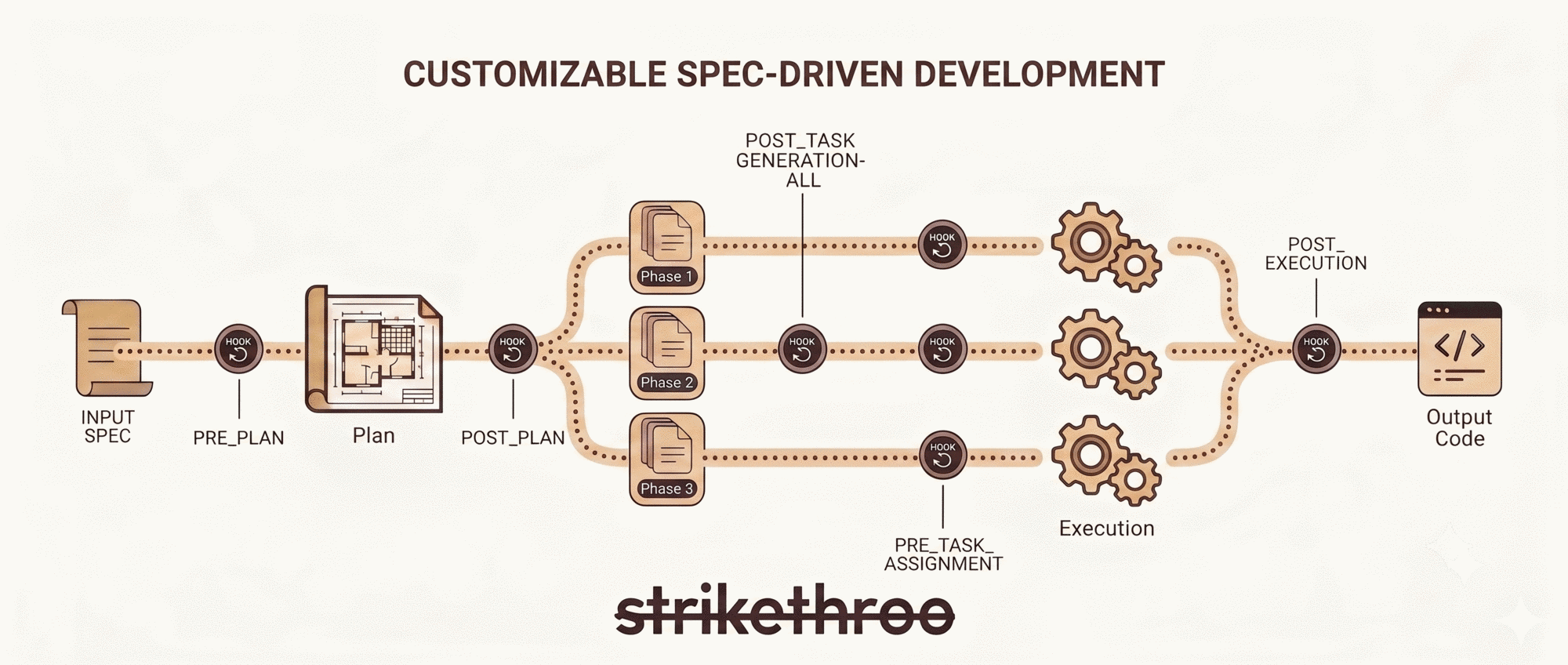
Hooks
Hooks are Markdown files in .ai/strikethroo/config/hooks/. The LLM reads them at specific workflow points and follows the instructions they contain. They serve two purposes:
LLM Intelligence Injection
Bring the LLM's reasoning, judgment, and contextual understanding to bear at the right moment. Examples: YAGNI enforcement, complexity analysis, error diagnosis, agent selection.
Deterministic Tool Execution
Have the LLM execute specific commands or enforce concrete behaviors on your behalf. Examples: git branch creation, conventional commit formatting, status tracking updates.
NOT A HOOK'S JOB
Not for: linting, test execution, coverage thresholds, security scans. Those belong in CI/CD pipelines or git commit hooks. Asking an LLM to “run npm test and ensure coverage > 80%” wastes its reasoning ability — a shell script does that more reliably.
Not sure which hooks the workspace ships with? Run npx strikethroo serve and open the Customize view – it lists every hook with a description, no file digging required.
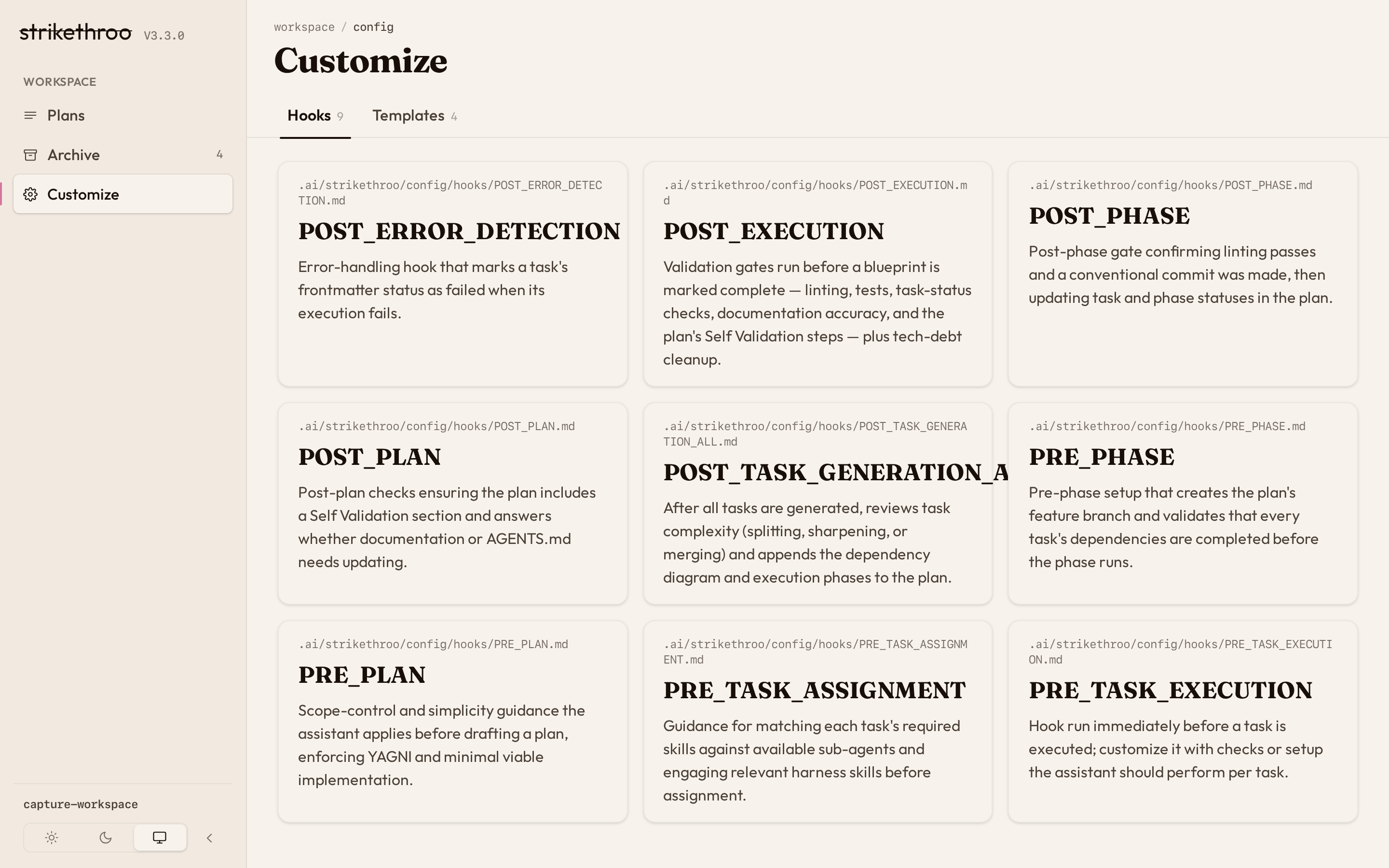
LLM Intelligence Hooks
These hooks leverage the LLM’s reasoning ability – pattern recognition, judgment calls, and contextual analysis that a deterministic script cannot replicate.
PRE_PLAN
When: Before plan creation begins.
Enforces YAGNI, scope control, and simplicity principles. The LLM applies judgment about what belongs in the plan and what constitutes scope creep. Add project-specific architectural constraints (“prefer composition over inheritance”), technology mandates (“must use our existing auth library”), or domain rules the LLM should enforce during planning.
POST_PLAN
When: After the plan document is written.
The LLM validates the plan: does it cover the requirements? Does it include a self-validation section? Does it account for documentation updates? Add checks that require reading comprehension and reasoning about completeness.
POST_TASK_GENERATION_ALL
When: After all tasks for a plan have been generated.
The LLM performs complexity analysis – identifying tasks that span too many skills, merging trivial tasks, sharpening vague acceptance criteria. It then generates the execution blueprint with dependency diagrams and phase groupings. Customize the complexity thresholds or add project-specific decomposition rules.
PRE_TASK_ASSIGNMENT
When: Before dispatching each task to a sub-agent.
The LLM reads the task’s skills frontmatter, analyzes available sub-agents, and selects the best match. It considers domain expertise, task complexity, and resource efficiency. Customize agent matching criteria or add fallback strategies for unmatched skills.
POST_ERROR_DETECTION
When: When a task execution fails.
The LLM diagnoses the failure, updates task status, documents what went wrong, and proposes remediation steps before re-executing. Add project-specific error categorization or custom retry strategies.
POST_EXECUTION
When: After all blueprint phases complete, before summary generation and archival.
The LLM verifies all tasks reached completed status, checks that documentation (including AGENTS.md) is still accurate, executes the plan’s self-validation steps, and assesses whether the plan left behind tech debt or dead code. If any validation gate fails, the plan stays in plans/ for debugging.
Workflow Control Hooks
These hooks execute deterministic actions – branching, committing, status updates – where the LLM acts as executor rather than reasoner.
PRE_PHASE
When: Before each execution phase begins.
Creates a feature branch (feature/{planId}--{plan-name}) from main if needed, validates repository state, checks that all task dependencies are resolved, and confirms no tasks are marked “needs-clarification”. Add environment checks (required services running, tool versions) if your project needs them.
POST_PHASE
When: After each execution phase completes.
Ensures linting passes and creates a descriptive conventional commit for the phase. Updates the blueprint and task statuses with completion markers. Ships with minimal validation by design – the heavy lifting belongs in CI.
PRE_TASK_EXECUTION
When: Before each individual task is dispatched. Ships empty.
Add project-specific pre-flight checks – for example, verifying required services are running or that necessary environment variables are set.
Templates
Templates are editable Markdown files in .ai/strikethroo/config/templates/. They define the structure the LLM follows when generating plans, tasks, and execution artifacts. The Customize view has a matching Templates tab:
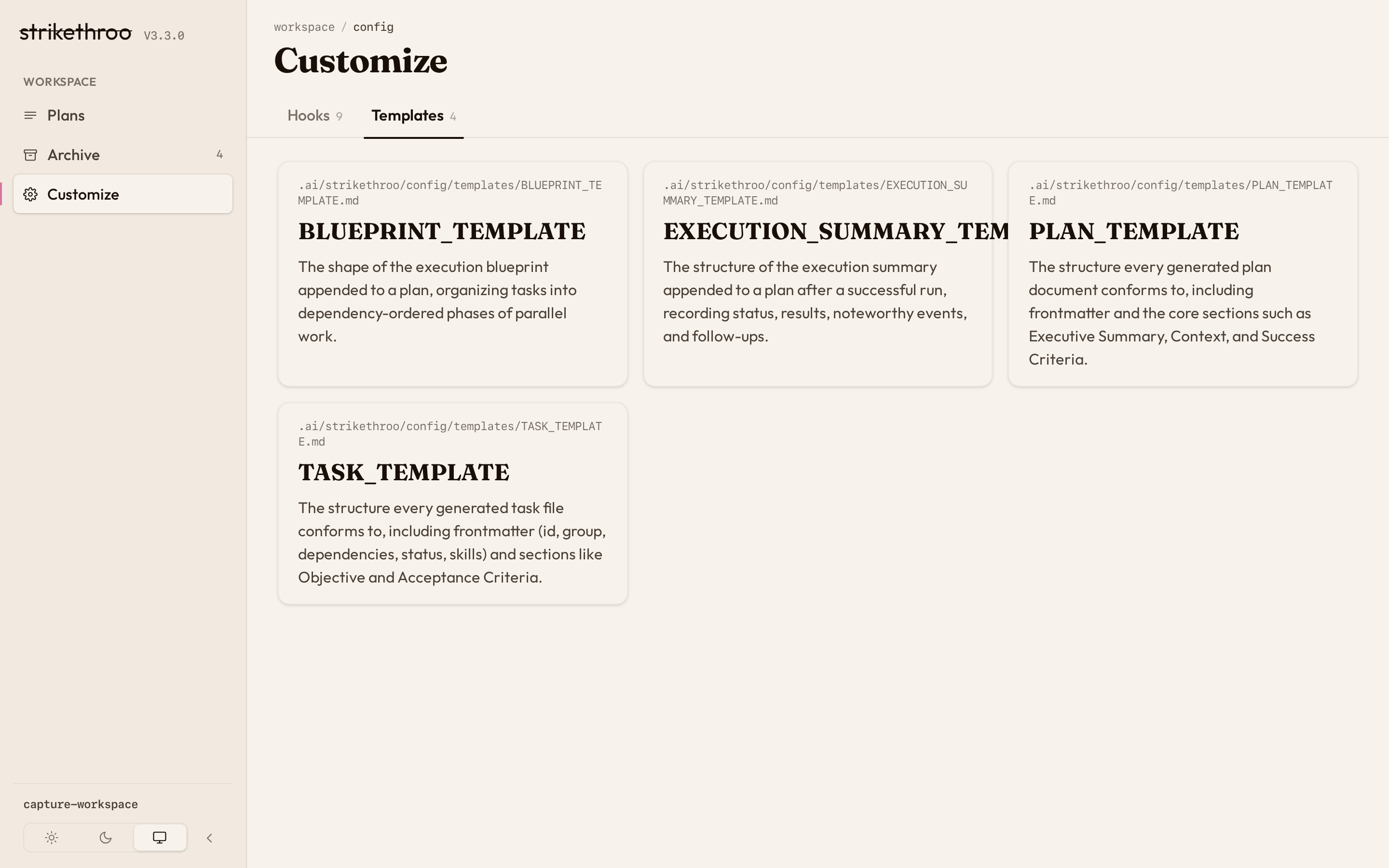
PLAN_TEMPLATE.md
Structure for project plans. Frontmatter: id, summary, created. Sections cover Original Work Order, Clarifications, Executive Summary, Context, Technical Approach, Risks, Success Criteria, and Resources. Add domain-specific sections (security architecture, compliance) as needed.
TASK_TEMPLATE.md
Structure for individual tasks. Frontmatter: id, group, dependencies, status, created, skills. Sections cover Objective, Skills Required, Acceptance Criteria, Technical Requirements, Dependencies, Output Artifacts, and Implementation Notes. Add project checklists to the acceptance criteria.
BLUEPRINT_TEMPLATE.md
Structure for the phase-based execution blueprint. Defines quality-gate references, phase groupings with parallel task assignments, post-phase actions, and execution summary metrics (phase count, task count, parallelism, critical path).
EXECUTION_SUMMARY_TEMPLATE.md
Structure for post-completion documentation. Captures completion status, date, results summary, noteworthy events, and follow-up recommendations.
Customization Example
Here is a PRE_PLAN hook customized for a project with specific architectural constraints. This is a good use of hooks because the LLM must exercise judgment – deciding whether a proposed approach violates these guidelines requires understanding, not just execution.
# PRE_PLAN Hook

## Scope Control Guidelines

(keep defaults)

## Project Architecture Constraints

When evaluating the plan, enforce these project-specific rules:

- **Data layer**: All database access goes through the repository pattern.
  Do not propose direct query construction in controllers or services.
- **API design**: REST endpoints follow our existing resource naming
  conventions in `/docs/api-style-guide.md`. Review it before proposing
  new endpoints.
- **State management**: Frontend state uses Zustand. Do not introduce
  Redux, MobX, or other state libraries.
- **Authentication**: All new endpoints must use the existing JWT
  middleware in `src/middleware/auth.ts`. Do not build new auth flows.

If any of these constraints conflict with the user's request, surface
the conflict in the Plan Clarifications section rather than silently
choosing an approach.
This works because the LLM reads these constraints and applies them contextually during planning.
TIP
A good hook needs judgment (“does this approach violate our constraints?”). A poor hook is a deterministic check (“run npm run lint and fail under 80% coverage”) — that belongs in CI or a git pre-commit hook, not here.
You don’t have to leave the browser to write a hook like this. The Customize view opens any hook or template in an in-place editor – one of only two writes the web app ever makes to disk:
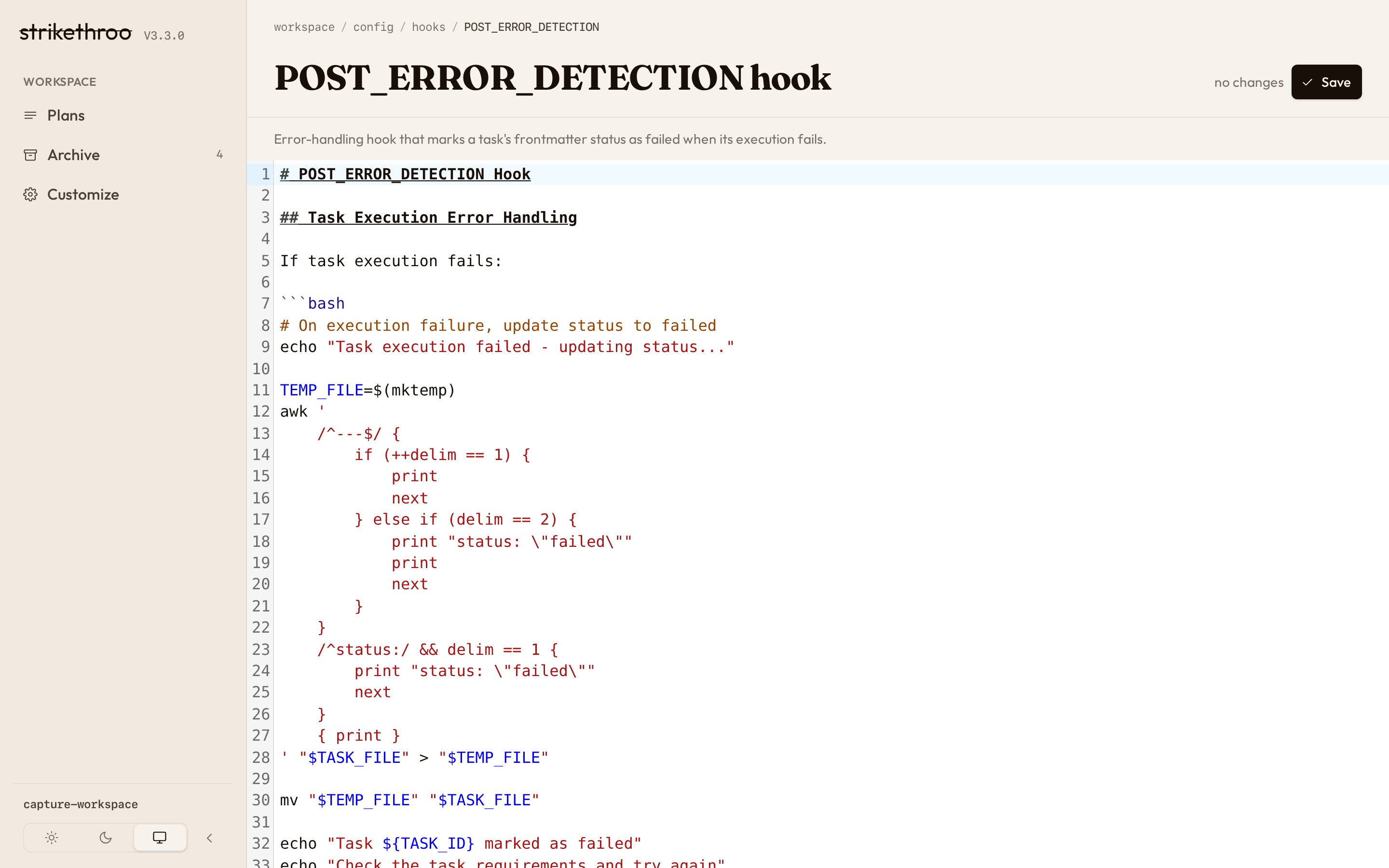
Make your edit, save, and the change lands live: