Visualizations
Strikethroo stores everything as Markdown. To see where your work stands, run the read-only web app from any initialized project:
npx strikethroo serve
It opens your browser and live-updates over SSE as the files change.
TIP
No build step, no database, no manual reload. serve reads your .ai/strikethroo/ workspace directly and streams changes as they happen on disk.
Plans
Every plan and its progress, at a glance.
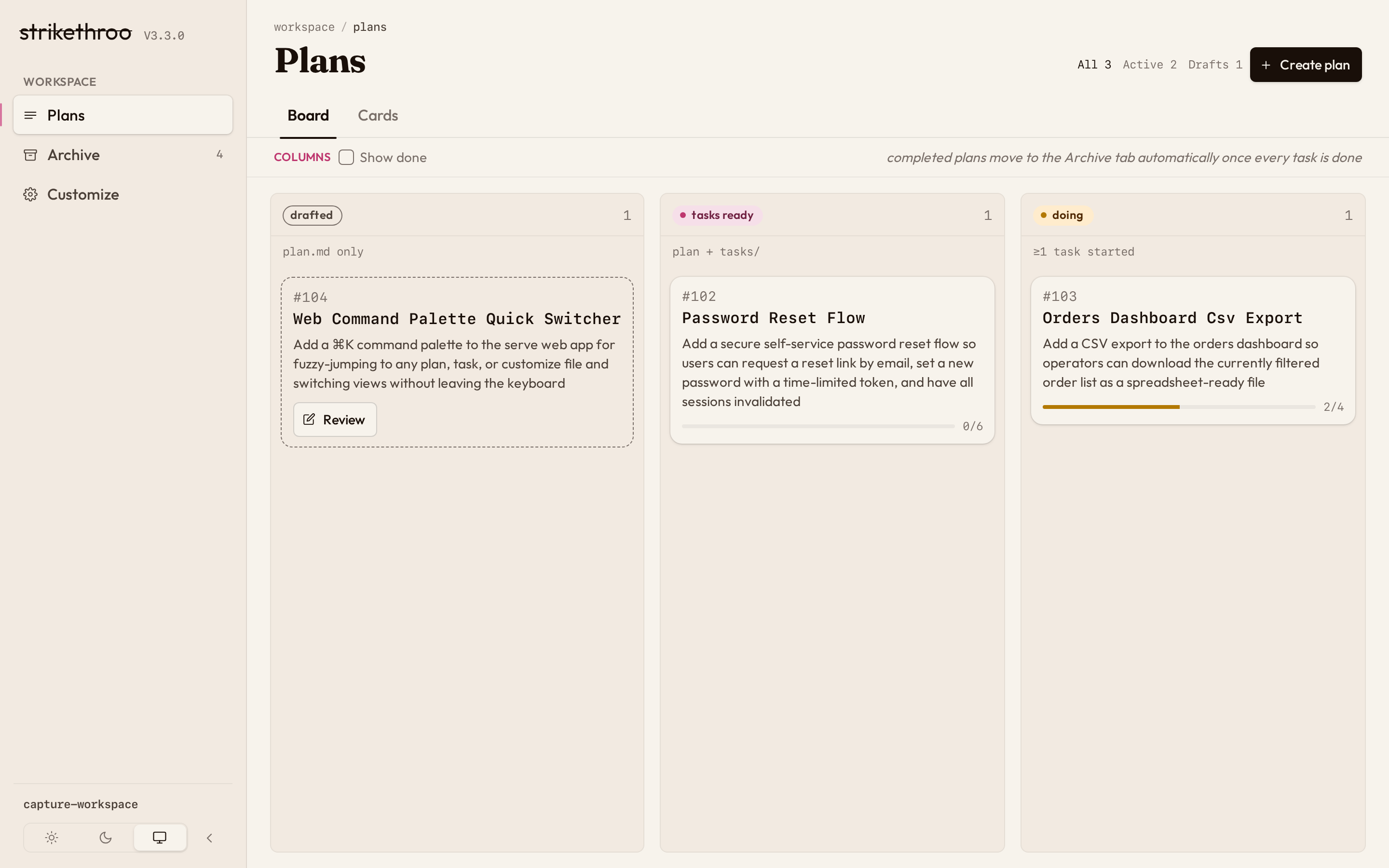
Switch between the pipeline Board and detail Cards in place:
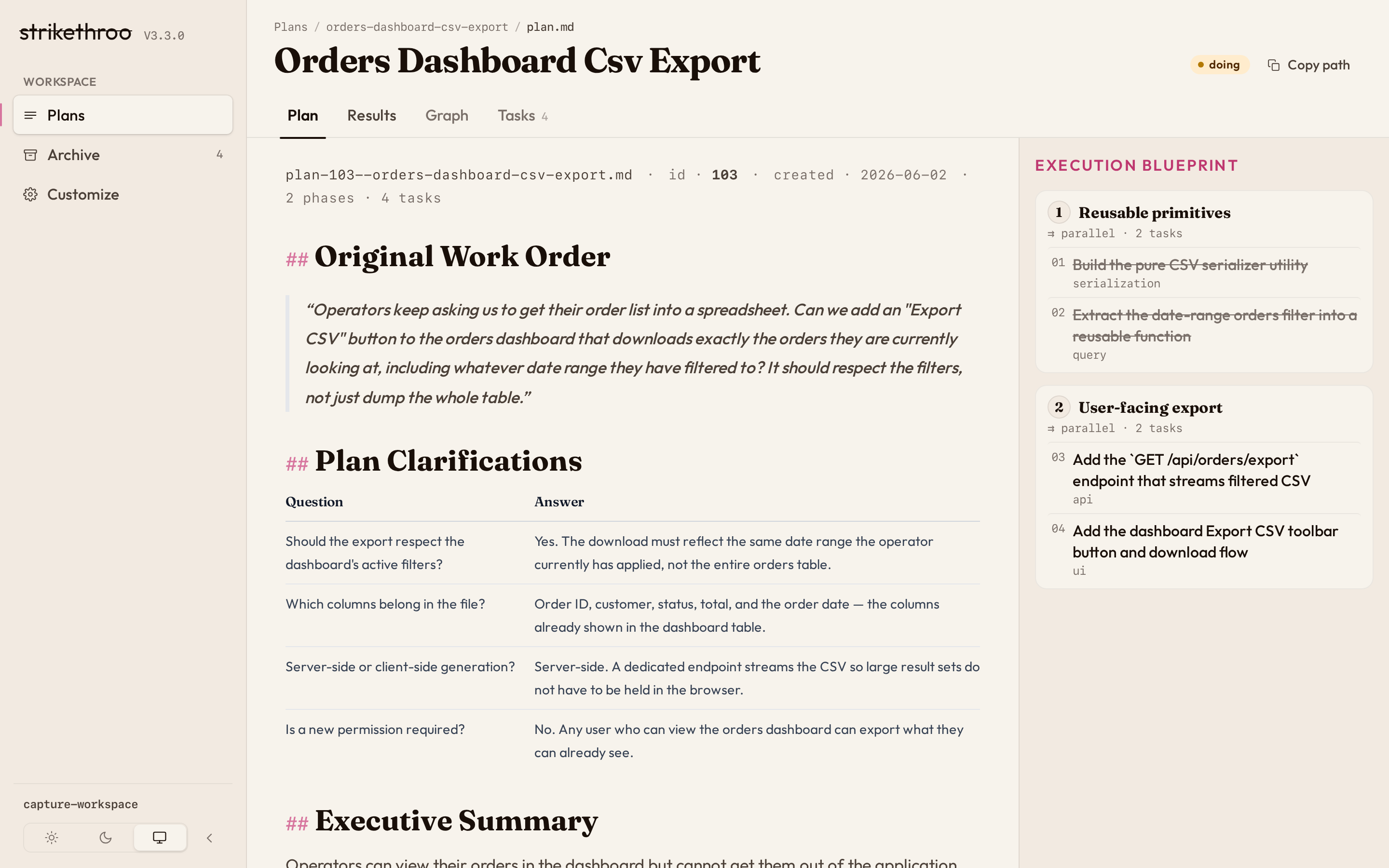
A single plan
Read the plan document, with the task blueprint pinned alongside.
See the task dependency graph – a live mermaid render, not a baked image.
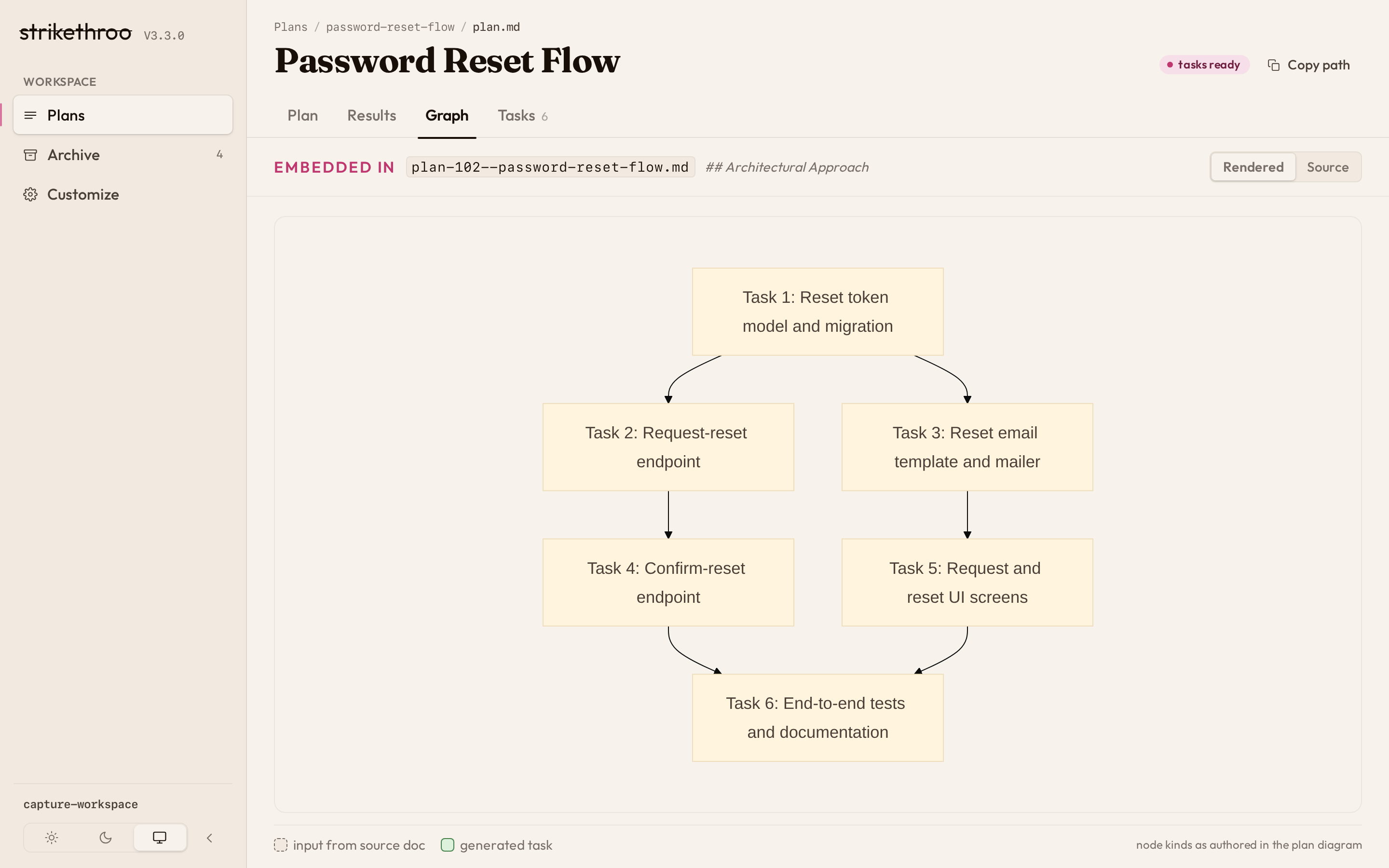
Flip between the Plan, Graph, and Tasks (swimlanes) tabs:
Tasks
Open any task for its objective, acceptance criteria, and dependencies.
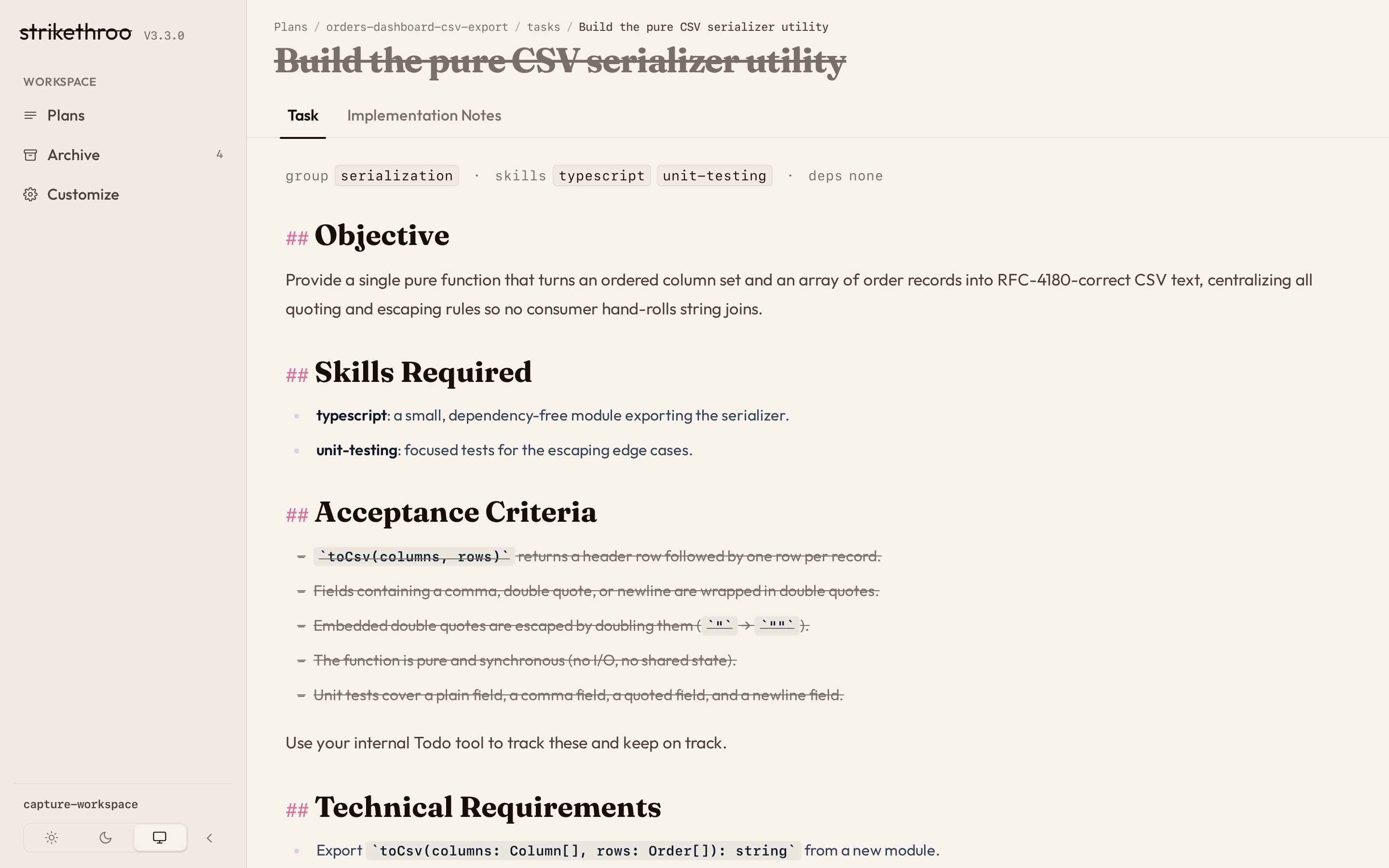
Trace a path from the Plans board down to a single task:
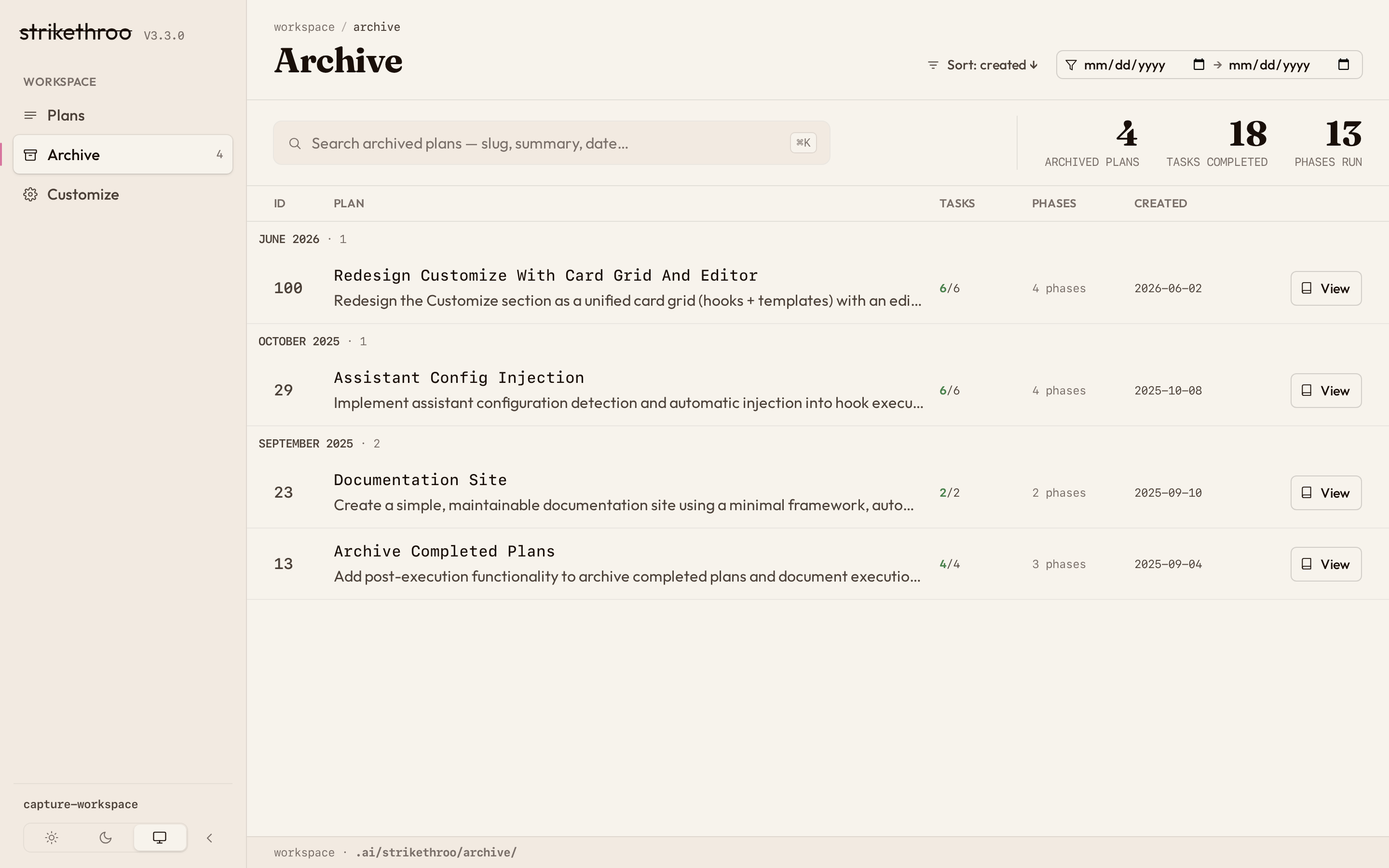
Archive
Browse finished plans, grouped by month with running totals – what you shipped, and how much.
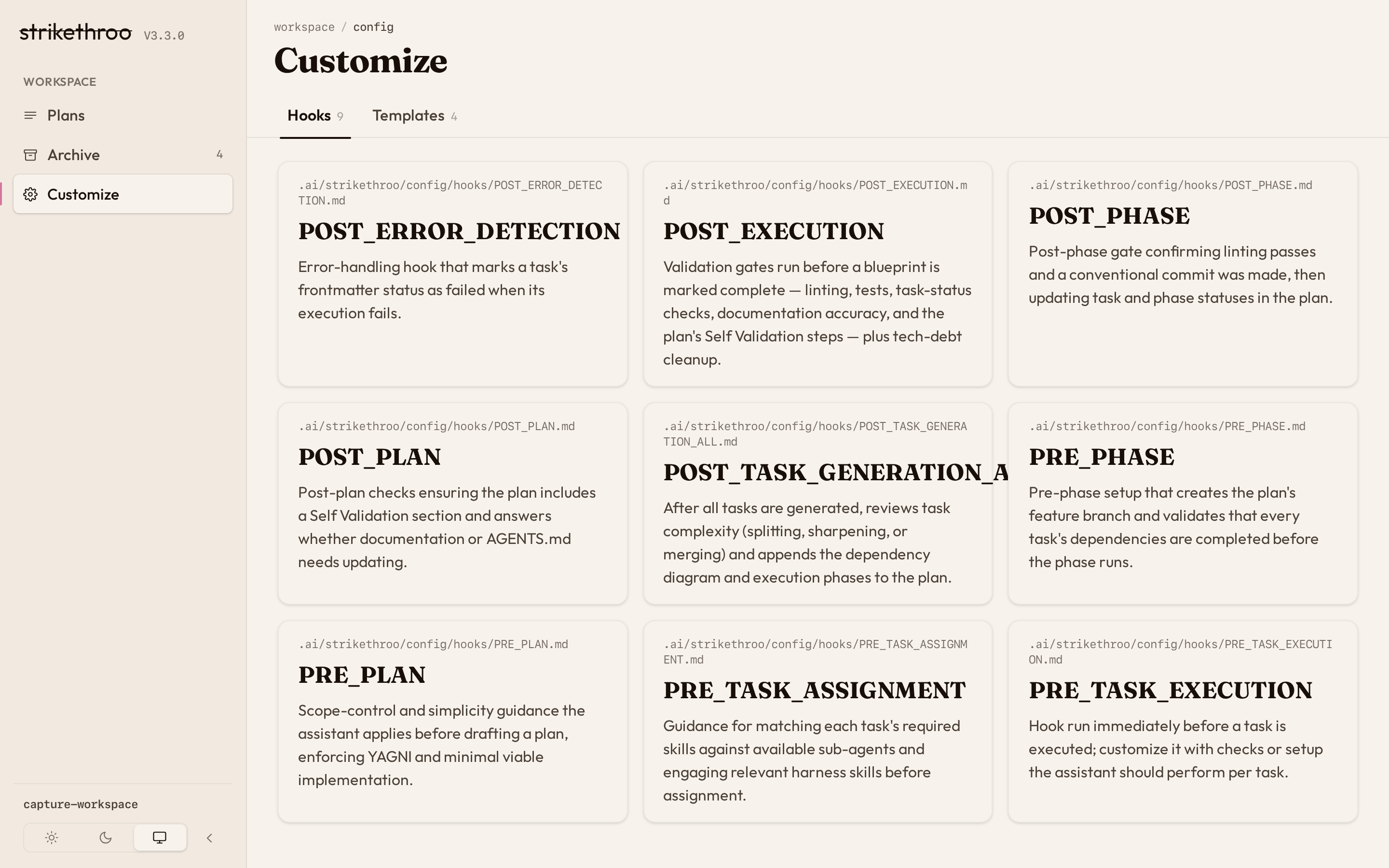
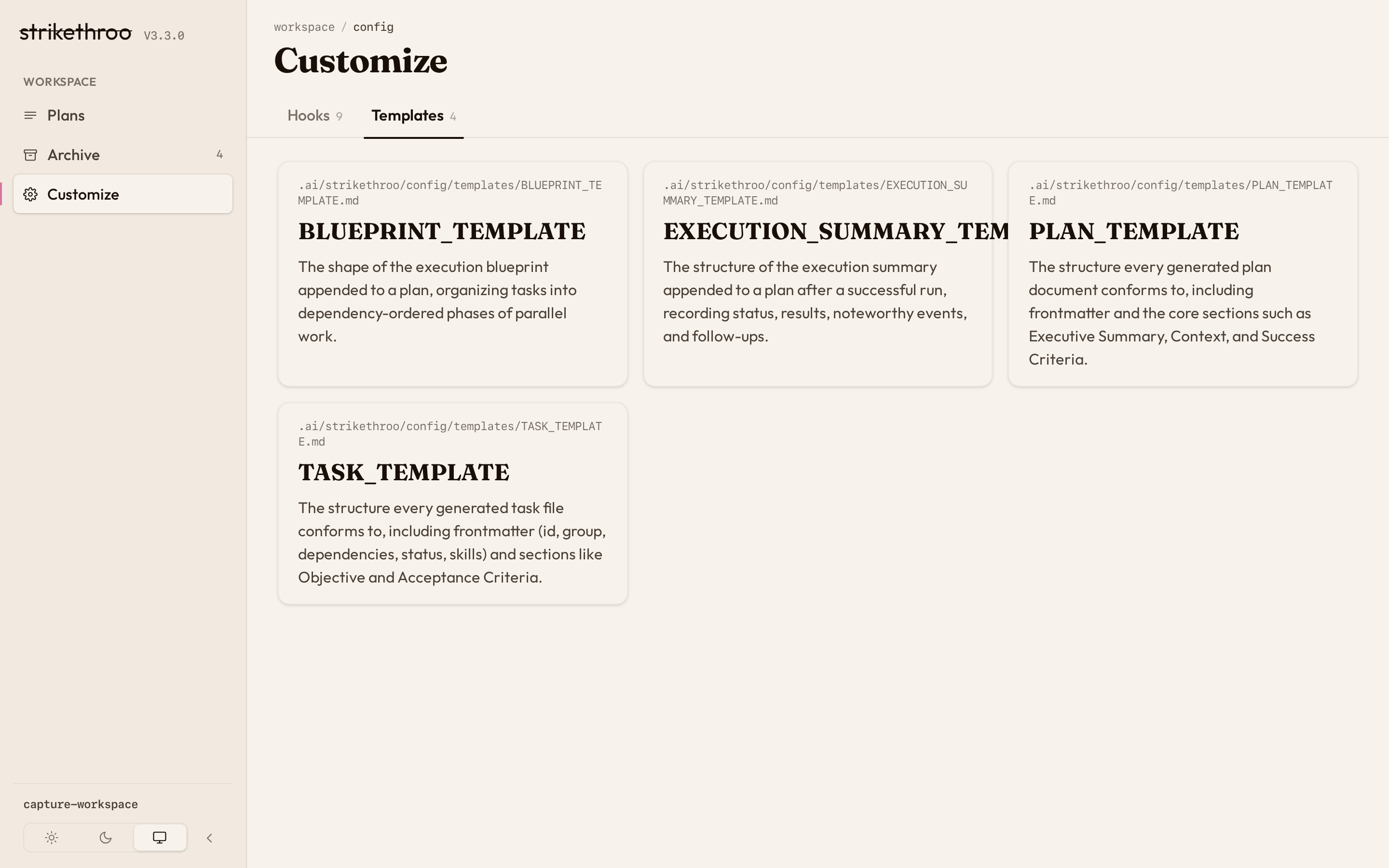
Customize
Discover every lifecycle hook and template the workspace ships with.
| Hooks | Templates |
|---|---|
 |  |
Then edit one in place, with instant feedback – one of only two writes the app ever makes to disk: