
Strikethroo
Strikethroo is spec-driven development that fits each codebase like a glove. Plain-Markdown hooks teach the agent your conventions – test commands, coding standards, domain rules – so every plan, task, and run inherits them. No API keys, no extra tools: it works inside the AI subscription you already pay for, on any harness that supports the Agent Skills format.
Why Strikethroo?
Bends to your conventions
Plain-Markdown hooks fire at nine points across the workflow — inject your test commands, standards, and domain rules so every plan, task, and run inherits them. No plugins, no code.
Clean context per agent
Every step runs with a fresh, focused context. The planner sees only your work order, the task generator only the approved plan, and each execution sub-agent only its single task. No context bleed, no drift.
No API keys
Runs entirely inside the assistant you already use — Claude Code, Codex, Cursor, OpenCode, or Copilot — on the subscription you already pay for. Nothing to provision, host, or rotate.
Harness-agnostic skills
The workflow ships as Agent Skills: one SKILL.md works on any harness supporting the format. Install once, and the right skill auto-loads when you describe what you need.
Adapts to every codebase
Every codebase has its own conventions, and Strikethroo bends to them instead of imposing its own. Three plain-Markdown surfaces – no plugins, no code:
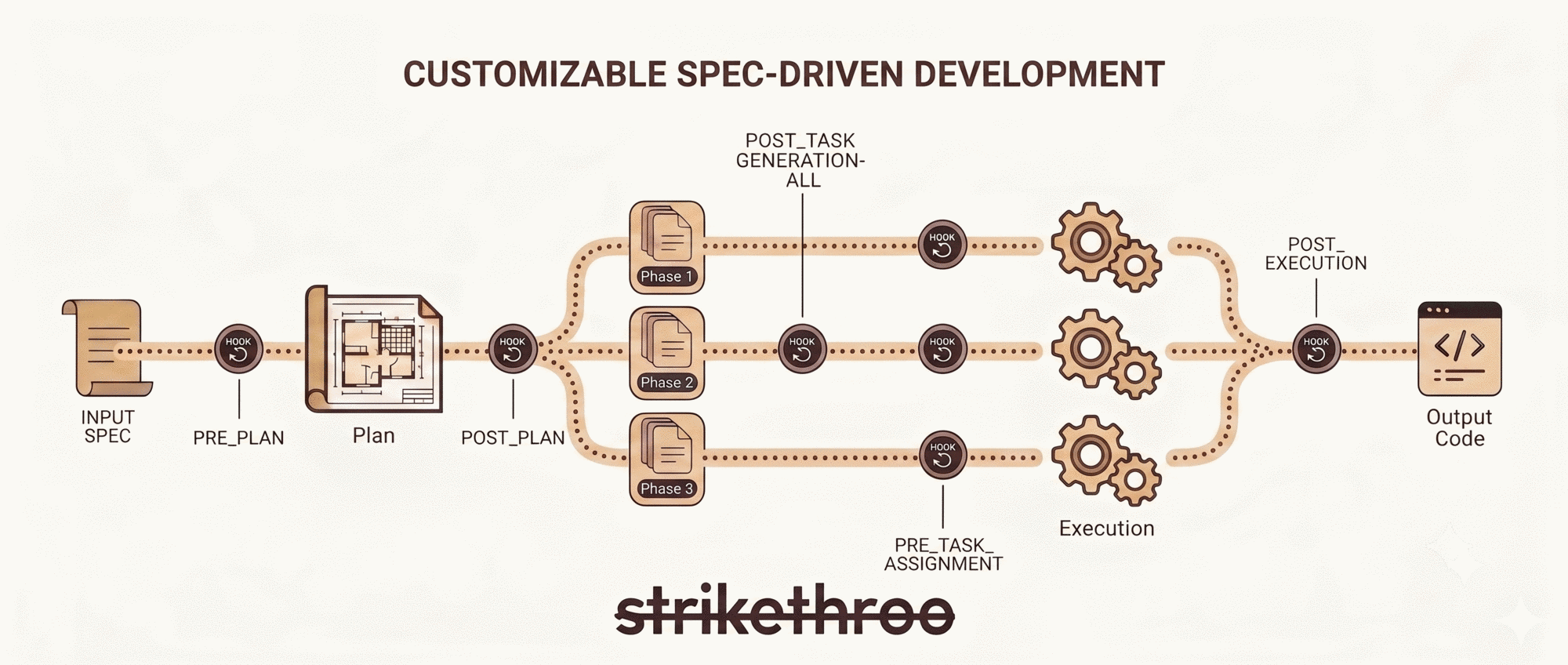
- Hooks fire at nine points across the workflow (before planning, after each phase, on errors, and more). Drop in your test commands, coding standards, and domain rules; every plan, task, and execution run inherits them.
- Templates define the shape of plans and tasks – add your own sections and checklists.
- Project context is one file of domain knowledge every step reads.
TIP
Hooks, templates, and a project-context file are all plain Markdown. Nothing to compile, no plugin API to learn. See the Customization Guide.
Quick Start
1. Bootstrap the workspace
Create the shared .ai/strikethroo/ workspace and copy the harness agents.
npx strikethroo init --harnesses claude2. Install the workflow skills
Add the harness-agnostic skills that drive plan, task, and execution.
npx skills add e0ipso/strikethrooBEFORE YOU BEGIN
Requires Node.js 22+ and an assistant that supports the Agent Skills format.
In your coding assistant
flowchart LR
    A[Work Order] --> B[Plan]
    B --> C{Review}
    C -->|Edit| B
    C -->|Approve| D[Tasks]
    D --> E{Verify}
    E --> G[Execute]
    G --> H{Review}
    H -->|Edit| G
    H -->|Approve| J[Done]
Three steps, each delivered as an Agent Skill that loads when you describe what you need:
| Step | Skill | Output |
|---|---|---|
| Plan | /st-create-plan <your prompt> | .ai/strikethroo/plans/64--auth/plan-64--auth.md |
| Tasks | /st-generate-tasks 64 | .ai/strikethroo/plans/64--auth/tasks/*.md |
| Execute | /st-execute-blueprint 64 | Working code, one commit per phase |
WHY THE GATES MATTER
Human review gates between steps catch scope creep before any code is written. Each step runs with clean context — the planning agent sees only the work order, the task agent sees only the approved plan, and each execution sub-agent receives only its specific task.
See the Workflow Guide for the full step-by-step with advanced patterns. Once a plan exists, visualize its plans, tasks, and dependency graph in Visualizations.
Visualize the data
Strikethroo comes with an optional web application to help you visualize your plans, tasks, and progress. No installation necessary, just execute the following command in a project using Strikethroo:
npx strikethroo serve
This will open a web page that will help you navigate your plans and their tasks, present or archived.
| Plans board | Plan detail page | Archive |
|---|---|---|
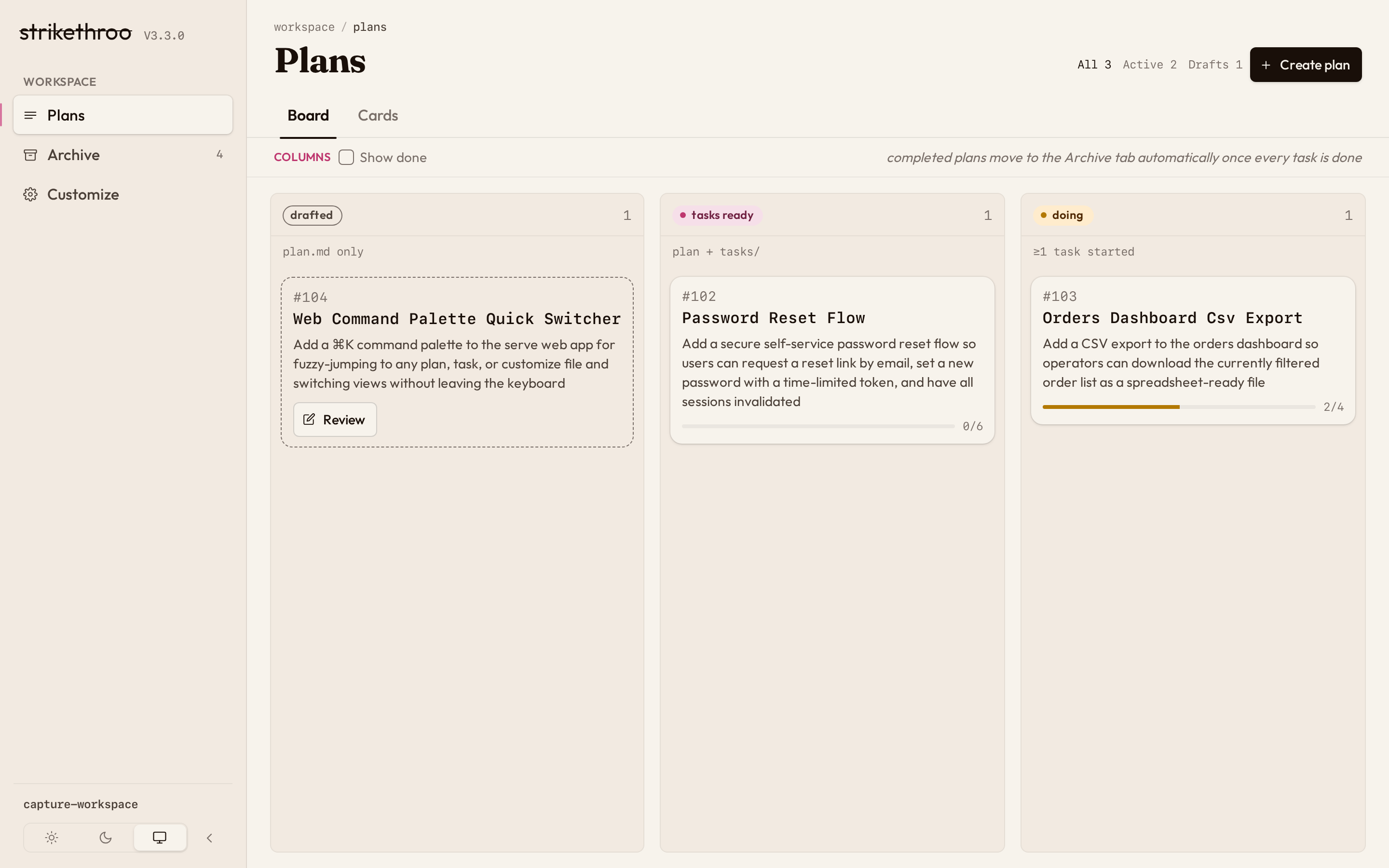 | 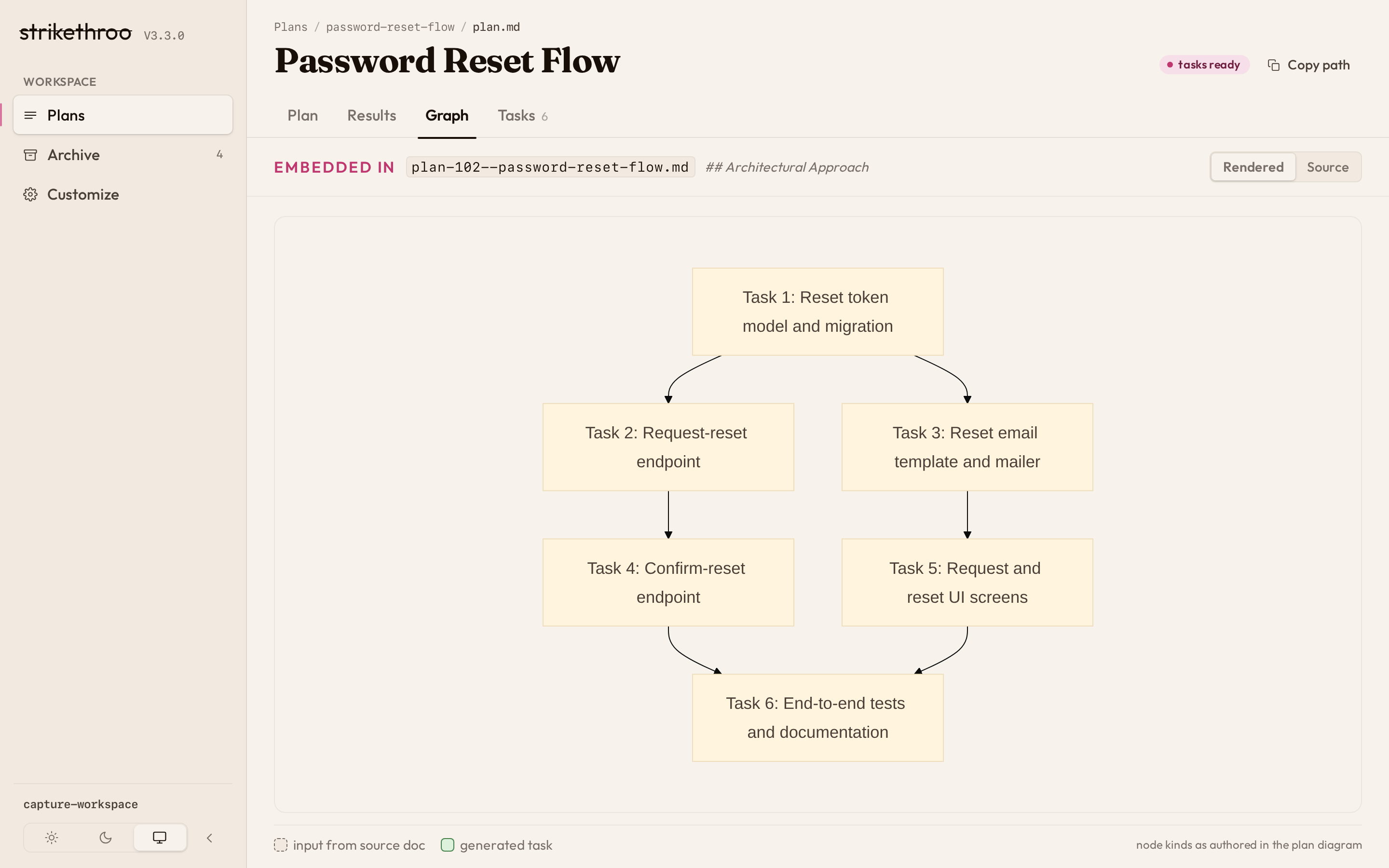 | 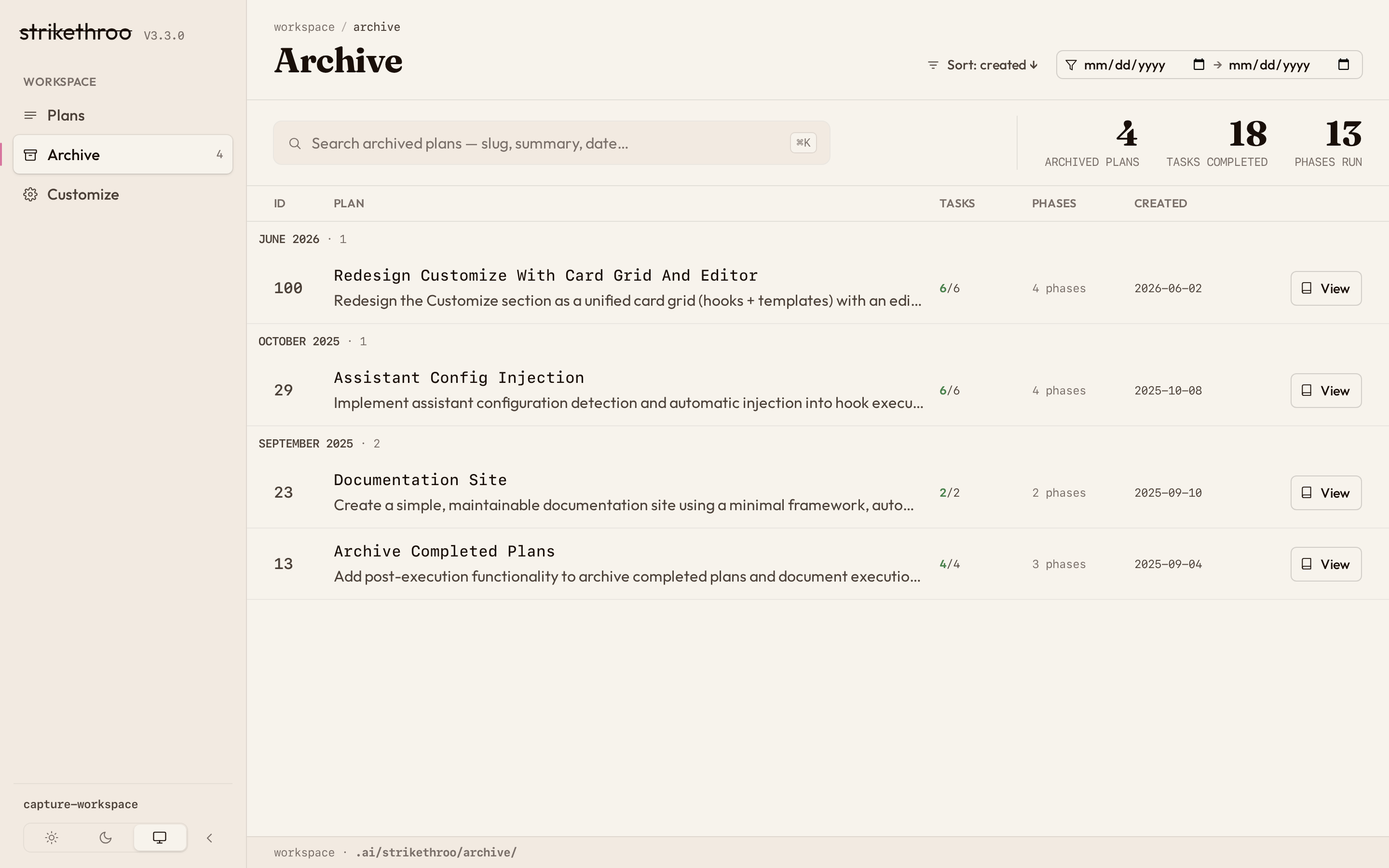 |
Documentation
Workflow Guide
Step-by-step workflow with visual guides and advanced patterns.
Customization Guide
Hooks, templates, and project context to shape the workflow.
Reference
Glossary and full CLI reference.
FAQ
Answers to common questions.
Visualizations
See plans, tasks, and the dependency graph.
Migrating from 1.x
Upgrade from slash commands to Agent Skills.